AI Prompt Assistant
Let the AI Prompt Assistant turn a rough idea into a ready-to-use video prompt — available in Text to Video, Image to Video, and Video to Video.
Written By Arina
Last updated 14 days ago
Not sure how to phrase your prompt? Open the built-in chat, describe the shot you have in mind — in your own words, in any language — and get back a structured English prompt you can drop straight into the Prompt field.
1. What Is the AI Prompt Assistant
You don't need to know prompt syntax, keyword tricks, or the right structure — the assistant handles the wording for you, based on what you type and your current tool settings.
You'll find it as a button right below the Prompt field, in three tools:
Text to Video
Image to Video
Video to Video
Free to use
Chatting with the AI Prompt Assistant never uses credits. Credits are only spent when you generate the video itself.
2. How to Open It
Click "» AI Prompt Assistant" right below the Prompt field. This opens a chat panel next to your generation settings, where you can describe your idea and see the result build in real time.
3. How to Use It
Describe your idea. Type what you want to see, in your own words and language — for example, "beautiful girl dancing."
Reference an uploaded image (optional). If you've uploaded a reference image for Image to Video or Video to Video, the assistant tags it (e.g.
[img1]) so you can point to it directly in your message.The assistant builds the prompt. It writes a full structured prompt in English, automatically tailored to your current tool settings — duration, resolution, and style.
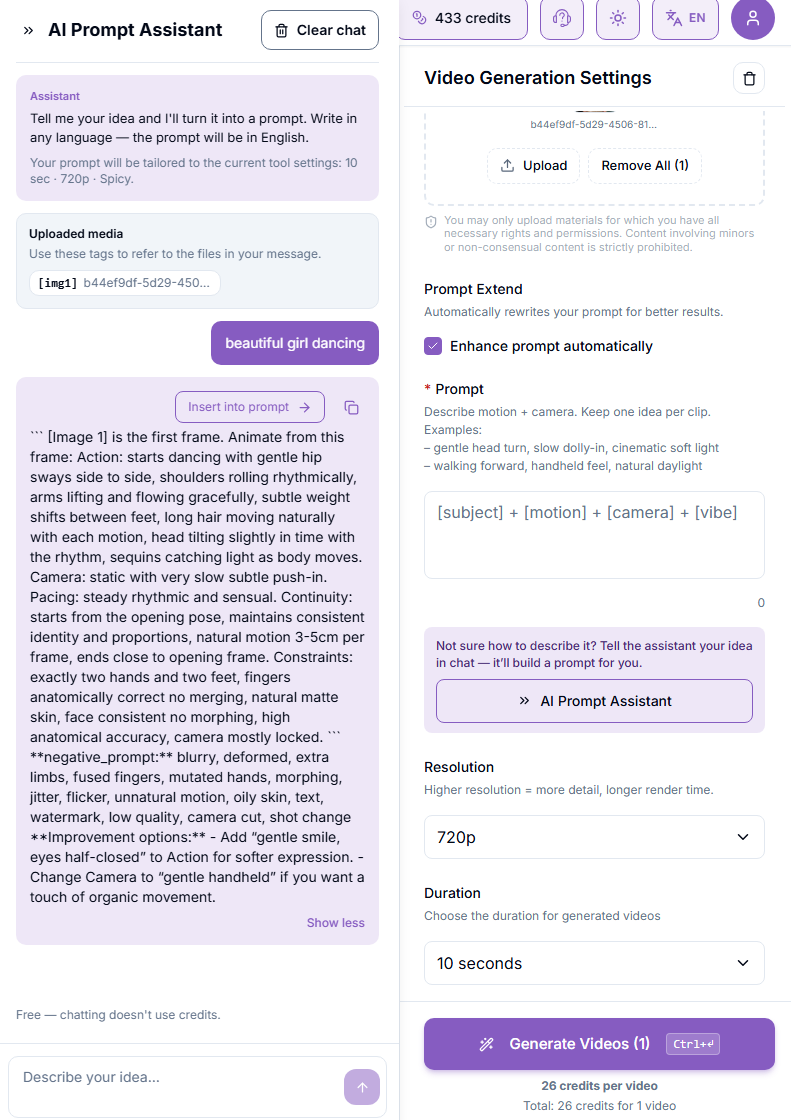
Insert or copy. Click "Insert into prompt" to drop the result straight into the Prompt field, or use the copy icon to grab the text manually.
Edit if needed, then generate as usual.
4. What's Inside the Generated Prompt
A typical response includes:
The main prompt — action, camera movement, pacing, and continuity, written as a single structured block
A negative prompt — common issues to avoid, such as deformities, artifacts, or unwanted motion
Improvement suggestions — optional tweaks you can apply, like adjusting the expression or camera style
Tailored to your settings
The assistant already knows your duration, resolution, and style — you don't need to repeat them in your message. Some models offer a Style dropdown with genre presets (Cinematic, Anime Action, Product-360, and more) — the assistant matches whichever one is selected.
You can keep the result as-is, apply a suggested tweak, or reply in the same chat to ask for a revision.
5. Example Results
1. My description
“Sexy dancing”
2. Generated prompt
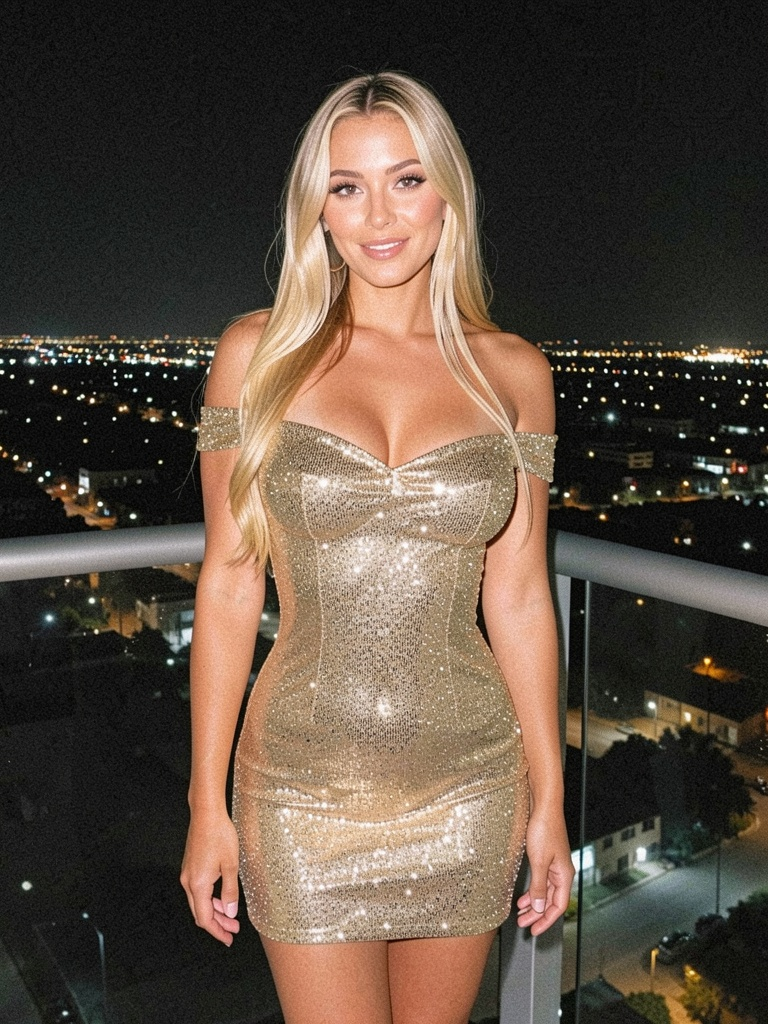
SEEDANCE 2.0 PROMPT — Cinematic, 10s, 9:16, 720p SCENE: Nighttime luxury balcony overlooking a sprawling city with dense lights. Foreground: woman in tight gold sequined dress. Mid-ground: glass railing and city glow. Background: distant illuminated skyline. Depth of field: f/2.0 shallow, strong subject-background separation. CHARACTER / REFERENCES: Blonde woman in shimmering gold off-shoulder sequined mini dress — [Image 1] for face, body, hair and costume reference, maintaining consistent subject throughout, strictly match reference. [0:00–0:02] HOOK Visuals: Extreme close-up on sequined bust and cleavage catching city light, then snap to full-body reveal Action: Woman begins slow hip roll, shoulders rolling seductively toward camera Camera: Snap zoom from tight macro to full-body in 0.3s, no easing, subject centered Audio: 0–1.2s silence, at 1.3s deep low bass hit synced to zoom Transition: hard cut [0:02–0:03.5] ESTABLISH Visuals: Full figure on balcony, dress sequins sparkling under night lights Action: Slow sensual body wave, hands sliding down hips Camera: Dolly forward at 1.5 ft/s, subject remains frame-center Audio: Ambient city hum -4dB, subtle electronic music bed enters -2dB Transition: smooth [0:03.5–0:06] FIRST ACTION Visuals: Dress catching light with every movement, hair swaying Action: Sexy dance — rhythmic hip circles and shoulder rolls, weight shifting side to side Camera: Gentle 8-foot orbit counterclockwise at 15°/s, 3-foot distance Audio: Music pulse builds, light foley of fabric movement Transition: none [0:06–0:08.5] ESCALATION Visuals: Sequins flashing intensely with faster movement Action: Dance intensifies — deeper hip rolls, arms raised, torso undulation Camera: Slow push-in 0.2x speed over 2.5s, slight breathing drift Audio: Music swells, bass hits on every major movement Transition: none [0:08.5–0:10] CLIMAX + RESOLUTION Visuals: Final seductive pose, body angled, eyes locked on camera Action: Slow final hip roll into held pose, slight hair flip Camera: Lock-off static, subject center, slight 2s linger Audio: Music peaks then fades under city ambience Transition: hold LIGHTING: Three-point cinematic — warm 3000K key at 45° left (100%), cool 5600K fill at 33% from right, rim light from city behind at 60%. COLOR GRADE: Teal & orange — shadows toward cyan-teal (200° hue), highlights warm gold-orange (30° hue), midtones neutral, slight highlight rolloff on sequins. AUDIO DIRECTION: Low electronic track at 80 BPM enters at 1.3s, bass hits synced to body movement, ambient city tone at -4dB throughout. CONSTRAINTS: no text, no logos, no extra people, no camera moves faster than 2 ft/s or 20°/s, saturation under 140%, every frame has visible motion or light play on sequins.3. Reference image
4. Final result
6. Tips
The clearer your description, the more precise the result — mention subject, action, and mood if you have them in mind.
If the result isn't quite right, reply in the same chat with what to change — no need to start over.
What's Next
Was this helpful?
Still need help? Ask the team