How to delete my account
Written By Arina
Last updated 9 days ago
You can delete your ZenCreator account anytime from Settings. A deleted account can be restored within 30 days. After that, deletion is permanent.
Before you delete (important)
Download anything you want to keep (generated images/videos, project files, prompts, etc.).
If you still have credits, note that once the account is deleted you will lose access to them.
After deletion, you won’t be able to create a new account with the same email.
If you’re having a payment or access issue, it may be faster to contact support first.
Delete your account (step-by-step)
Log in to ZenCreator.
Open Settings (you’ll see your Current user info there).
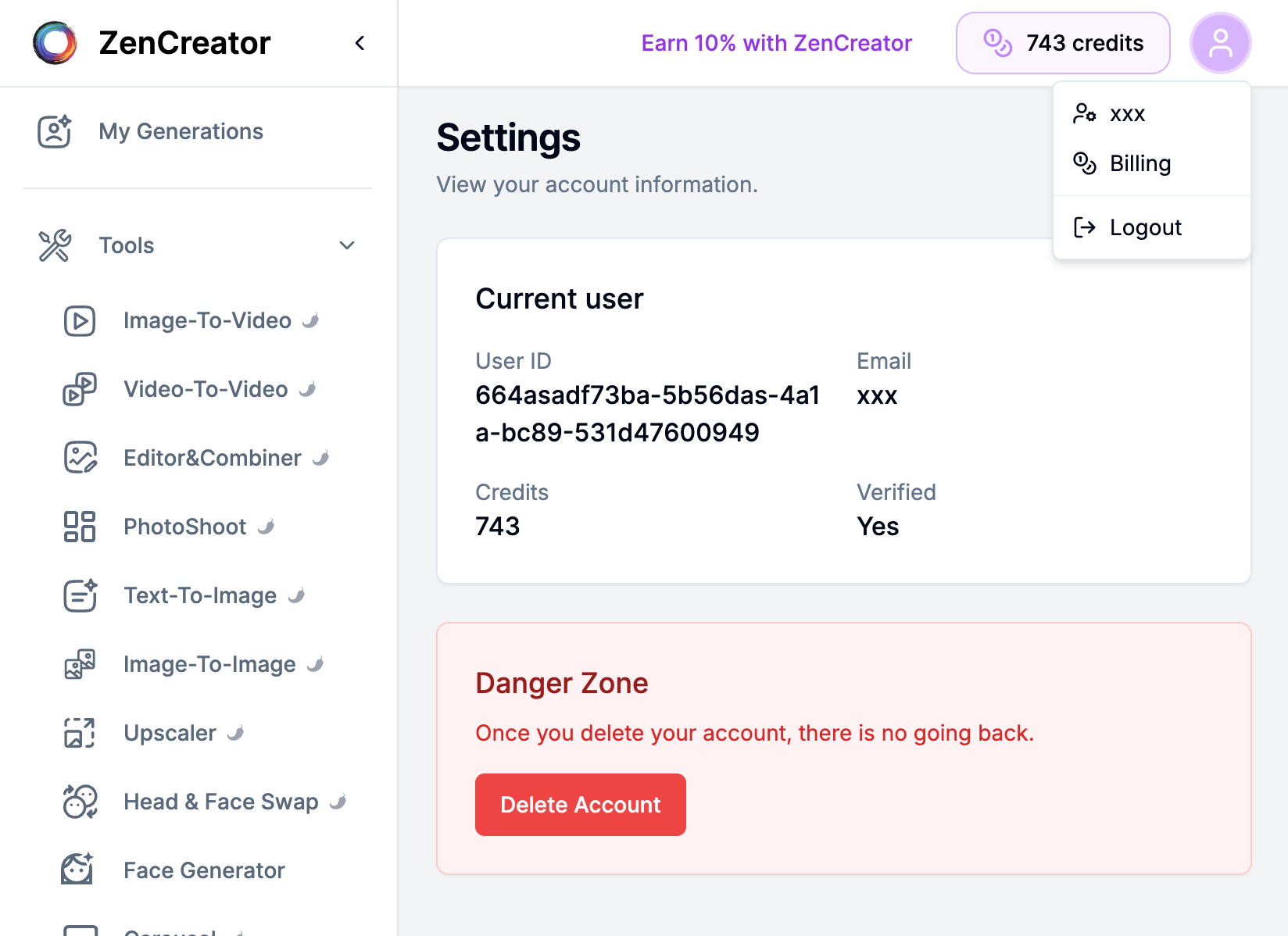
Scroll down to the Danger Zone section.
Click Delete Account.
Confirm the deletion when prompted.
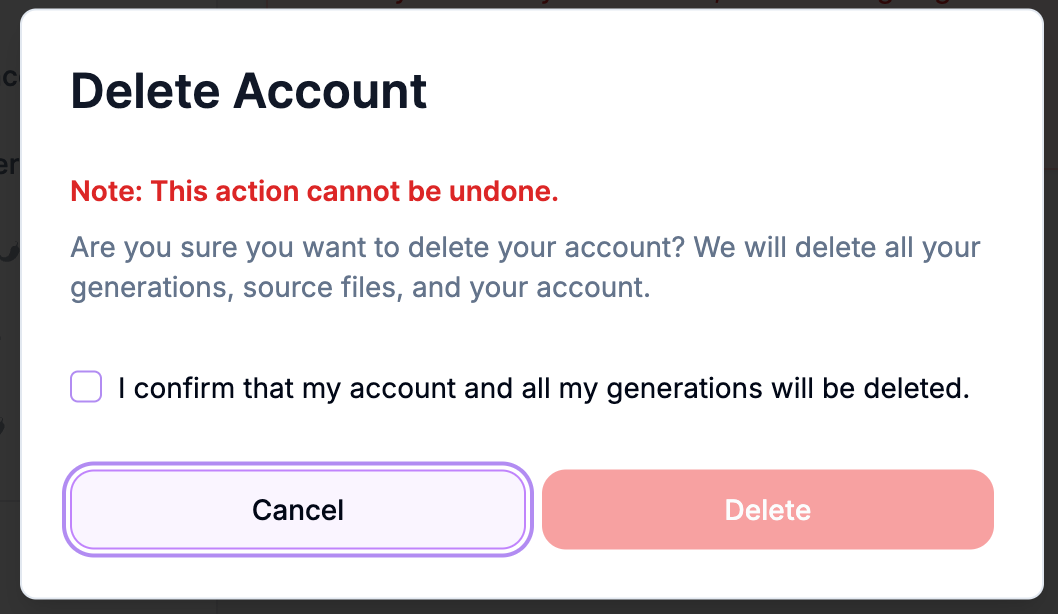
That’s it — your account will be removed.
What happens after deletion?
You’ll be logged out and won’t be able to log in to that account.
Your credits, generations and other account data will no longer be accessible.
Your account can be restored within 30 days of deletion. To restore it, contact support.
After 30 days, your account and all your generated content are permanently deleted and can’t be recovered. Some information may be kept longer where needed for legal, accounting, dispute, security, or abuse-investigation purposes, as described in our Privacy Policy.
You can’t create a new account with the same email. If your account was deleted by mistake or you urgently need access again, contact support and we’ll find a solution for you.
Troubleshooting
I can't find the Delete Account button — make sure you're on Settings and scroll to Danger Zone.
The button doesn't work / nothing happens — try refreshing the page, disabling browser extensions (ad blockers), or using an incognito window. If it still fails, contact support with your User ID (visible on the Settings page).
I deleted the wrong account: contact support as soon as possible. Deleted accounts can be restored within 30 days.
I can’t sign up with my email after deleting my account: an email linked to a deleted account can’t be used for a new registration. Contact support and we’ll find a solution for you.
Want to stop getting our newsletter? Unsubscribe — the link is at the bottom of every email.
Need help?
If you’re unsure about deleting your account or have a technical issue, message support and include:
your email
your User ID (from Settings)
a short description of the problem
Was this helpful?
Still need help? Ask the team